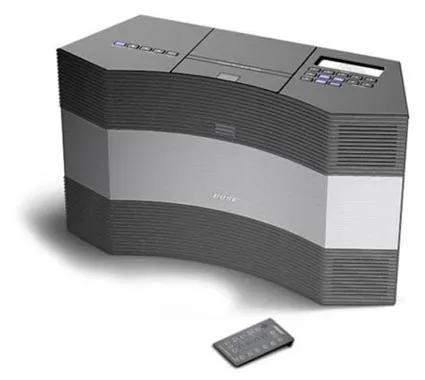
Check the power connections at your product and at the power source.
Be sure the power connections to your product are secure both to the AC (mains) outlet and to your product.
See if the remote is sending IR signal by looking at the top edge of the remote through a camera viewfinder.
Our eyes cannot detect the IR (infrared) light produced by your remote but many digital cameras can. Look at the top edge of the remote through a digital camera (i.e. a smartphone camera), then press a button on the remote. If you do not see a flash through the camera viewfinder when a button is pressed, the remote is not sending any signal*. If you do see a flash but the remote is not working, try the other troubleshooting suggestions to help determine if the issue is the remote or something else.
*Some smartphones have IR filters on the front and/or rear cameras, which prevents them from seeing this flash. So, if you don't see a flash, try both the front and rear camera, a different camera if available, and any other troubleshooting suggestions.
Be sure the power cord is connected to a working power outlet.
If the outlet is controlled by a wall switch, be sure the switch is on. You can also verify if the outlet works by connecting another electronic device, such as a lamp. If connected to a power strip (or surge protector), try bypassing the power strip and plug the power cord directly to a wall outlet.
Reset your product.
Much like rebooting a smartphone, your product might need to be reset on occasion to correct minor issues. For more information, see Resetting your product.
If using the accessory Acoustic Wave system power pack, be sure the 12-volt battery is charged.
Fully depleting the accessory battery pack can affect its ability to hold a charge. When using the battery pack, avoid completely depleting it before charging. If the battery is not used for an extended period, charge it about every six months to avoid it depleting during storage.
Try both the buttons on the product and the buttons on the remote control.
Check if either the buttons on your product or the buttons on your remote can operate your product.
Replace the battery in the remote control.
The battery may not have sufficient power for the remote control to operate properly.
Use a coin to remove the battery cover on the back of the remote control. Replace the battery with a new CR2032 (or DL2032) battery. Place the battery with the positive (+) side facing out of the battery compartment, then reattach the battery cover and turn it clockwise to lock it in place.
Keep new and used batteries out of reach of children.