Was this helpful?
Dropped Bluetooth Connection | Bose QuietComfort Ultra Earbuds
Keep your product within 33 feet (10 meters) of your personal device.
Distance and obstacles like walls, doors, or other electronics can weaken the Bluetooth signal. If you're having trouble, try moving your personal device and product closer together or relocating other devices that may cause interference.
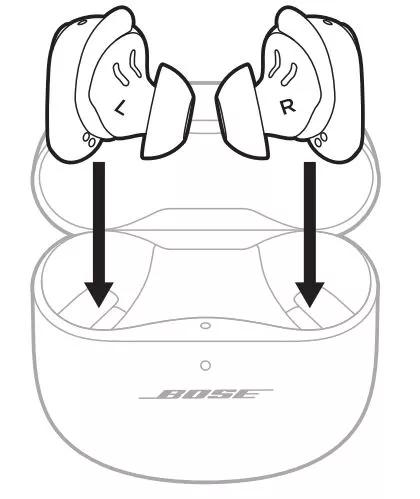
Resync the earbud connection
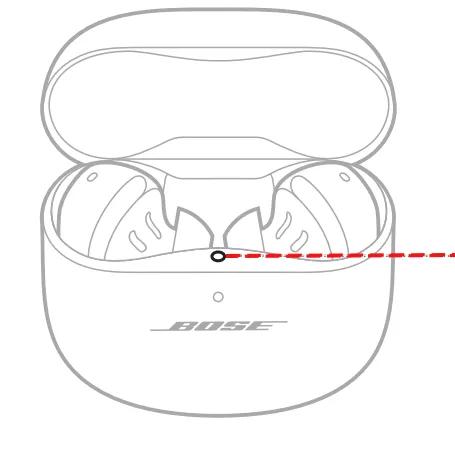
- Place both earbuds into the charging case. Keep the lid open. The earbud status light will illuminate when the earbuds are inserted into case. If the status light does not light up, press downward on the buds to ensure they are making a solid connection with the charging pins.
- Close the lid on the case.
- When the status light on the front of the case stops flashing, open the lid, remove just the right earbud, and place it into your right ear.
You should hear the welcome tone. - Place the left earbud in your ear. You should hear the welcome tone and can continue using your product.
Reboot the Bluetooth® device.
Clear your Bose product memory of previously-connected Bluetooth® devices.
Remove your product from the memory of the Bluetooth device, then try again.
In the Bluetooth settings menu of the Bluetooth device, find the list of previously connected products. Remove the Bose product from the list, including any duplicate listings labeled LE (Low Energy), then reconnect it to the device. For more info, see Connecting a Bluetooth device.
If connected to a Windows computer, check the power management setting for the Bluetooth adapter.
- On the computer, click the Start menu and begin typing device manager.
- Click Device Manager in the search results to open it.
- Click the > next to Bluetooth to expand it.
- Right-click your Bluetooth adapter and select Properties.
- Click the Power Management tab and uncheck Allow the computer to turn off this device to save power.
- Restart your computer and try again.
If using your product outdoors, check for differences when used indoors.
Try connecting a different Bluetooth device.
Reset your product.
Much like rebooting a smartphone, your product might need to be reset on occasion to correct minor issues. For more information, see Resetting your product.