Three lights glow solid on the charging case | Bose Sport Earbuds
bose-sport-earbuds
Bose Sport EarbudsSold from 2020 - 2023

Three lights glow solid on the charging case | Bose Sport Earbuds

Try a different USB cable.

Try connecting your product with a different USB cable to determine if there is an issue with the first cable.

Try a different charger.

Charge times can vary based on the charger. Chargers with a higher current rating generally charge products faster than those with a lower rating. Chargers typically list a current rating on the label in amps (A) or milliamps (mA). A current rating of 1 A / 1000 mA or higher is recommended.

Try resyncing the earbuds and charging case.

  1. Turn off Bluetooth on all devices within 30 ft of the earbuds.
  2. Place earbuds in the charging case for 5 seconds.
  3. Remove earbuds from the case. The earbuds and charging case should now communicate as normal.

If your product has been in extreme hot or cold temperature, wait until it reaches room temperature.

If the battery temperature is beyond the operating temperature range, wait until the product reaches room temperature, then try again.

Go to btu.bose.com to clear the error

You can reset the error lights by going to btu.bose.com via a computer:
  1. Connect the product to a computer via a USB cable
  2. Go to btu.bose.com
  3. The application will check the error and clear it automatically. In some cases if your firmware is already up-to-date, you may see a prompt to continue. Click "OK" to reset the error.
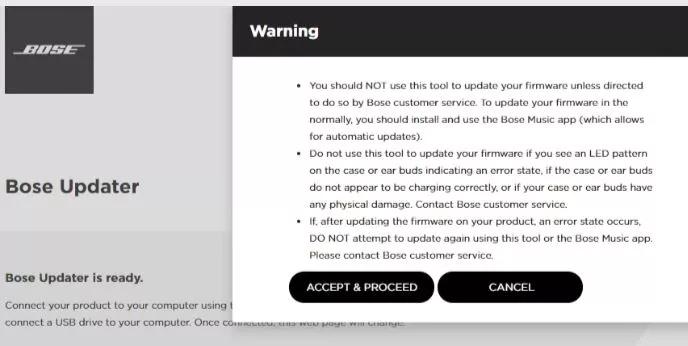
Please note: This warning may appear once connected. If so, click "ACCEPT & PROCEED."


If this does not work and the LED state doesn't change, your product will need service.