Determining the MAC address | Lifestyle® 650 home entertainment system
lifestyle®-650-home-entertainment-system
Lifestyle® 650 home entertainment systemSold from 2016 - 2022

Determining the MAC address | Lifestyle® 650 home entertainment system

To obtain the MAC address of the system using a tethered USB connection, follow these steps:

This method requires a computer (PC or MAC) and will work on all SoundTouch SM1 and SM2 products. It does not require us to determine the IP address of the system on the network
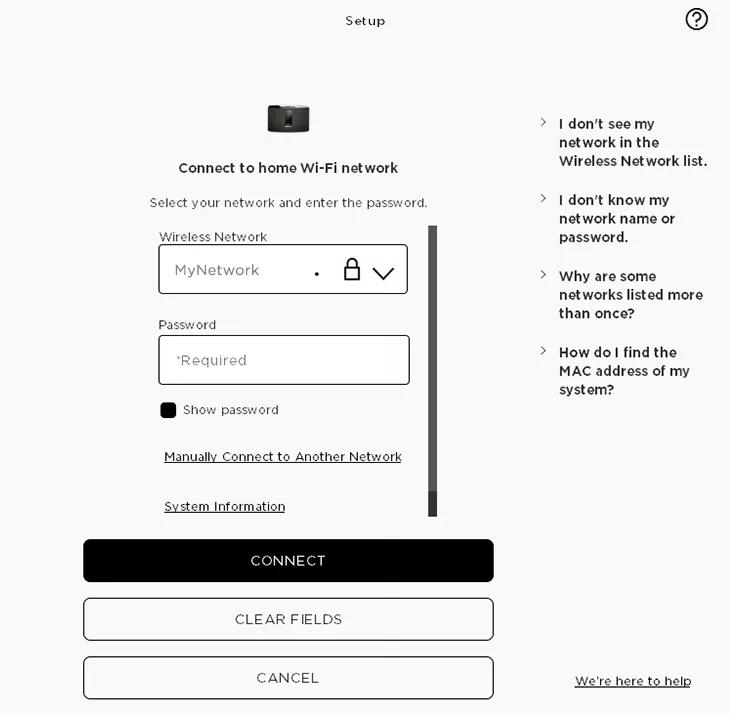
  1. In the SoundTouch computer app, begin the setup process (Settings > Add or Reconnect System)
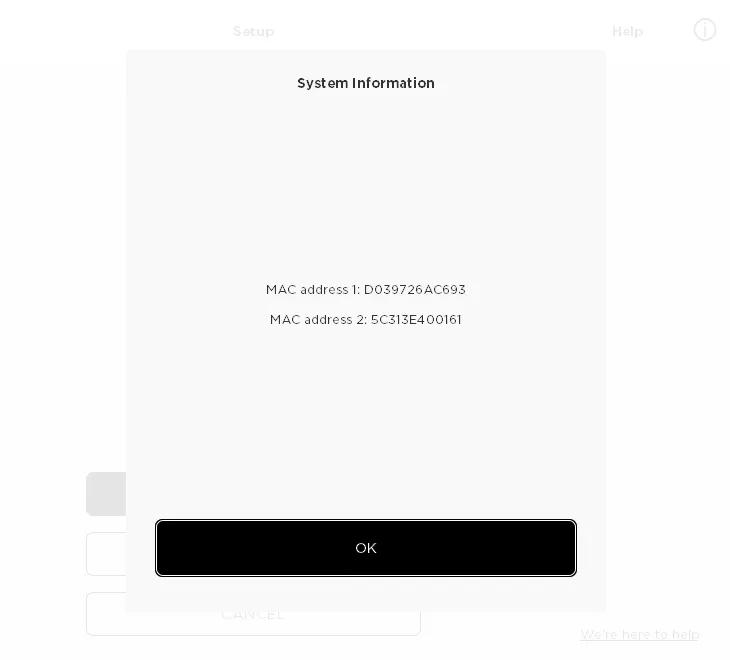
  2. When you reach the "Connect to home Wi-Fi network" screen, choose "System Information" to view the system's MAC address


To obtain the MAC address of the system using a tethered USB connection, follow these steps:

This method requires a computer (PC or MAC) and will work on all SoundTouch SM1 and SM2 products. It does not require us to determine the IP address of the system on the network.
  1. Connect a USB cable from your computer to the SoundTouch system
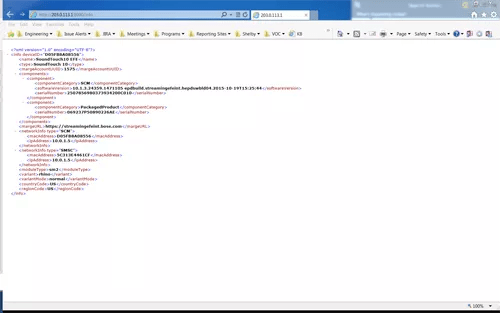
  2. On a desktop/laptop computer, open a browser and go to http://203.0.113.1:8090/info
  3. The following info will be shown:
    1. System Name
    2. System Type
    3. SoundTouch Account Number
    4. Firmware Version
    5. SCM Serial Number
    6. System Serial Number
    7. SoundTouch Controller Information (if connected)
    8. SCM Information (MAC Address, Serial Number)
    9. SMSC Information (MAC Address, Serial Number)

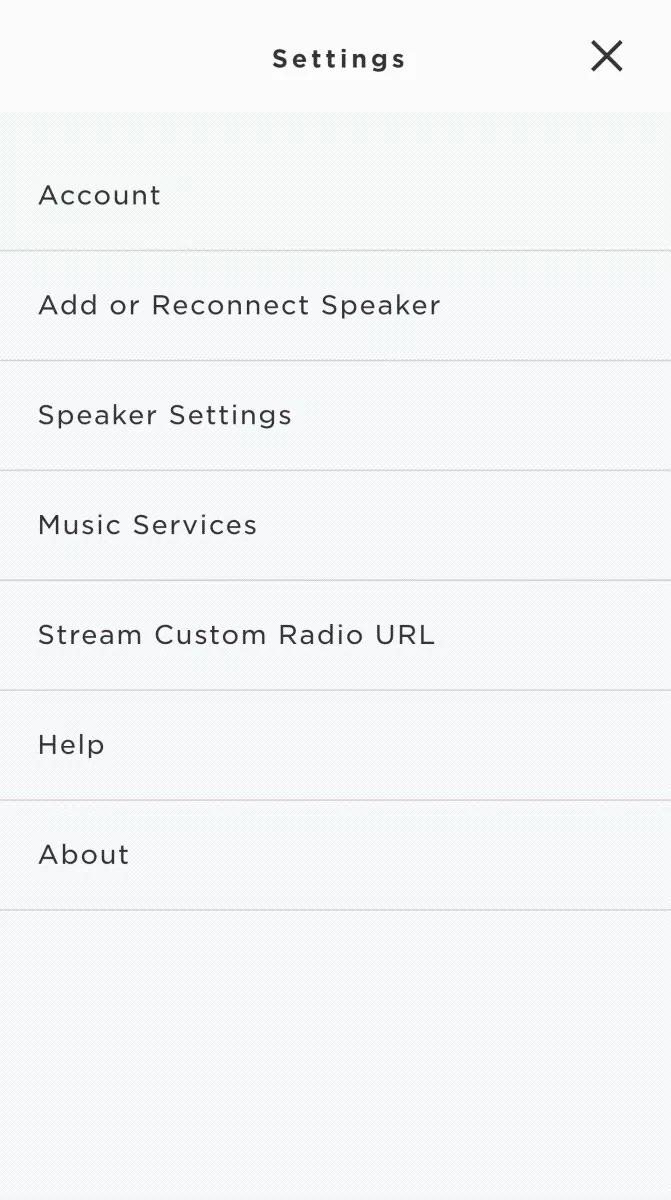
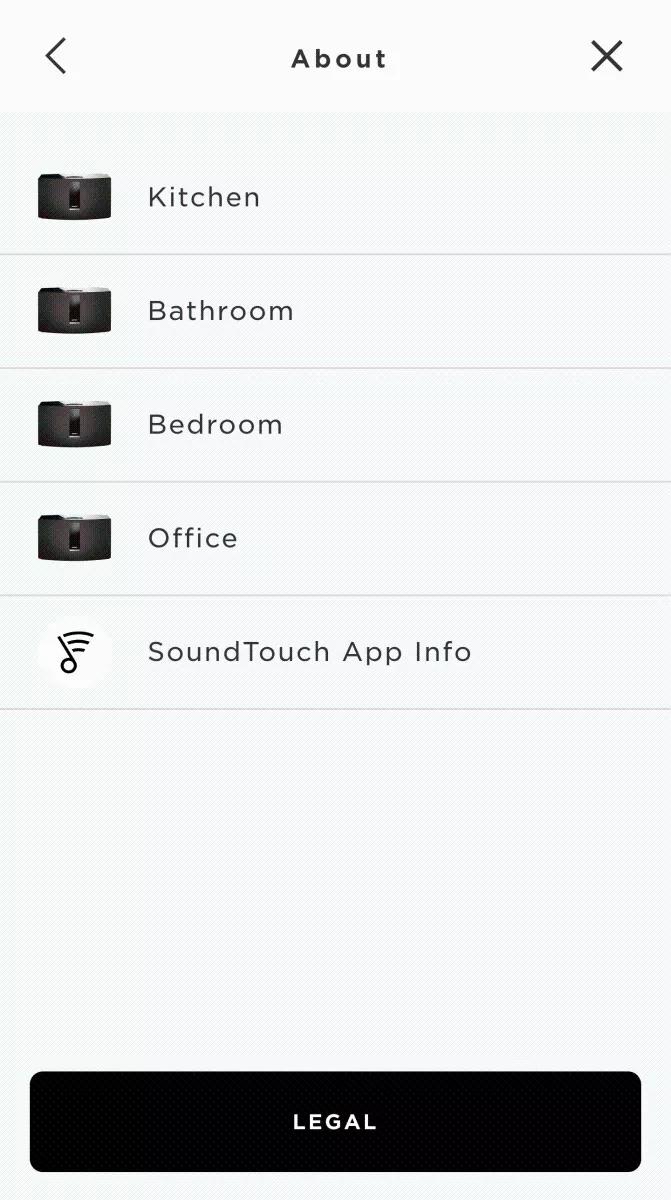
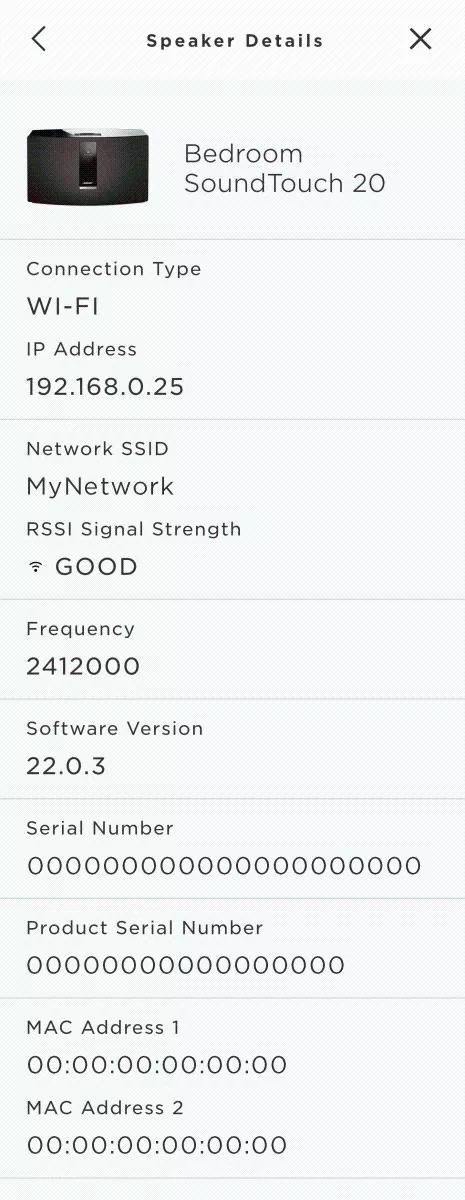
To view the product MAC address in the SoundTouch app:

  1. In the SoundTouch app menu, tap Settings
    Tip: to open the app menu, tap the menu icon in the upper-left

    Main menu

  • Tap About, then select a system

    Settings menu About screen

    The Speaker Details screen shows info for the selected system.

    Speaker details screen