Was this helpful?
Wearing and adjusting your earbuds | Bose QuietComfort® Earbuds (2020)
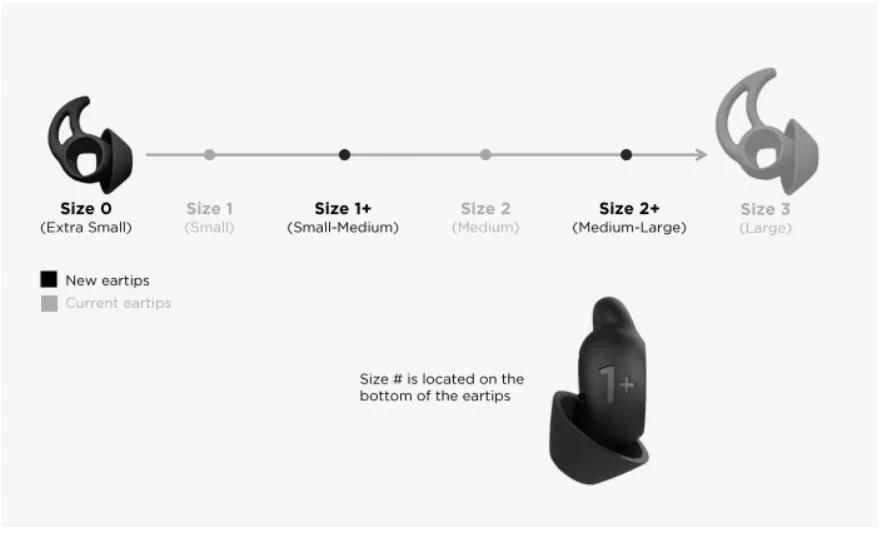
Try a new ear tip size
Fitting your earbuds
Inserting the earbuds
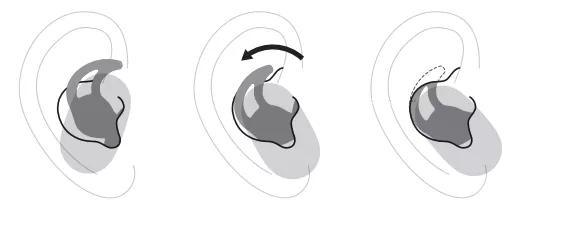
- Insert the earbud so the eartip gently rests at the opening of your ear canal. Each eartip is marked with either an L (left) or an R (right).
- Slightly rotate the earbud back until the eartip creates a comfortable seal at your ear canal. Rotating the earbud too far back may impact sound quality
- Tuck the top of the eartip wing under your ear ridge.
- Repeat steps 1 – 3 to insert the other earbud.
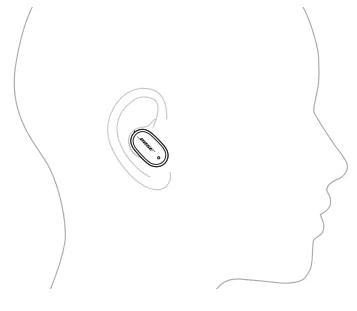
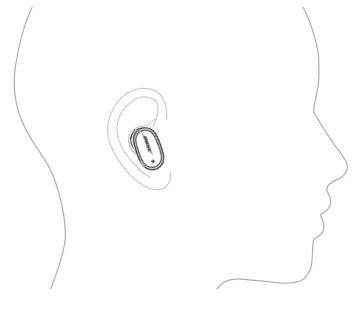
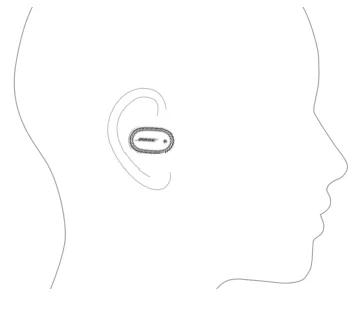
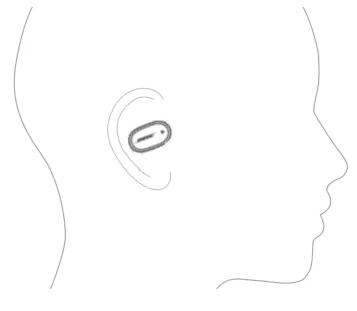
Earbud Orientation
| Good - Logo pointed toward mouth/chin | |
| Okay - More vertical ... logo pointed down toward lower neck | |
| Poor - More horizontal ... logo pointed toward bridge of nose | |
| Bad - More than horizontal ... logo pointed toward eyes |
Checking the fit
Use a mirror to make sure you have successfully rotated the earbud back, tucked the eartip wing, and that you’re using the best eartip size for each ear.
- Proper fit
When the eartip fits properly:- The eartip gently rests at the opening of your ear canal to create a comfortable seal. Background noise should sound muffled. Noise cancellation may impact the ability to hear muffled noise
- The eartip wing doesn’t stick out or feel squished under your ear ridge
- Too big
When the eartip is too big:- The eartip feels squished in your ear canal
- The eartip wing is sticking out or feels squished under your ear ridge
- Too small
When the eartip is too small:- The eartip rests too deep in your ear canal, feels loose in your ear, or falls out when you move your head
- The eartip wing doesn’t reach your ear ridge