Using the Touch Control Shortcut | Bose QuietComfort Earbuds II
Set a shortcut option for the left earbud.
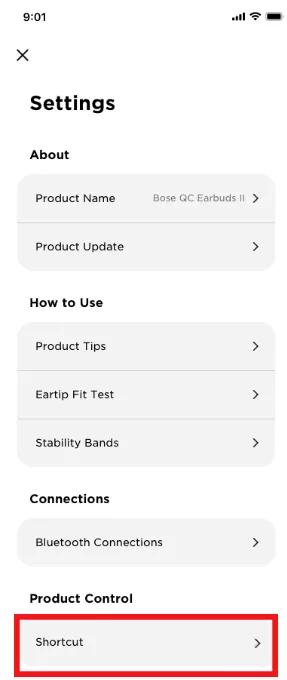
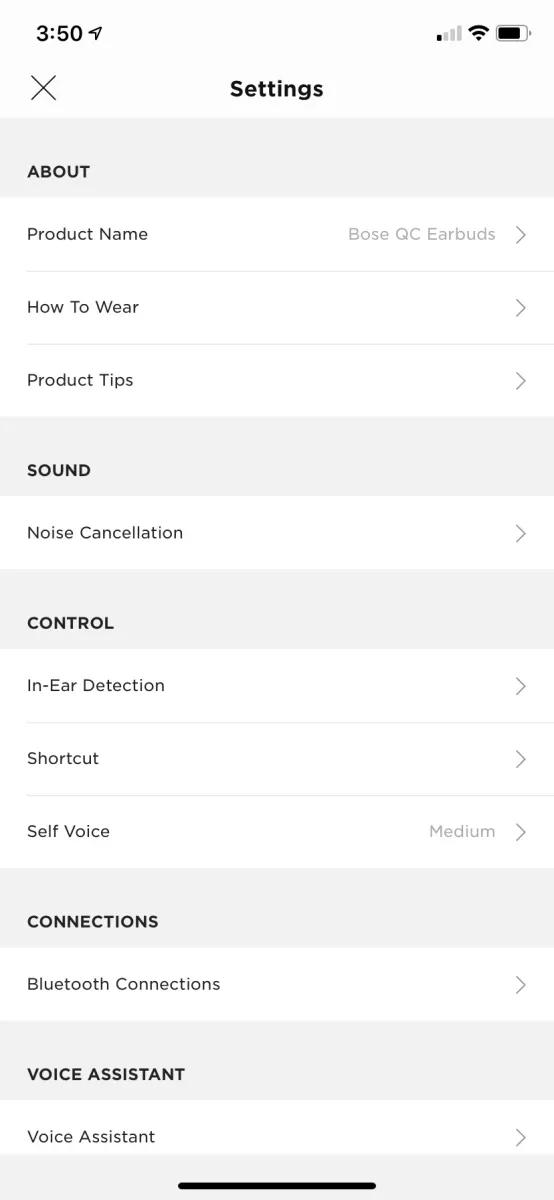
- In the Bose app, select your product and tap the Settings icon.
- Tap Shortcut.
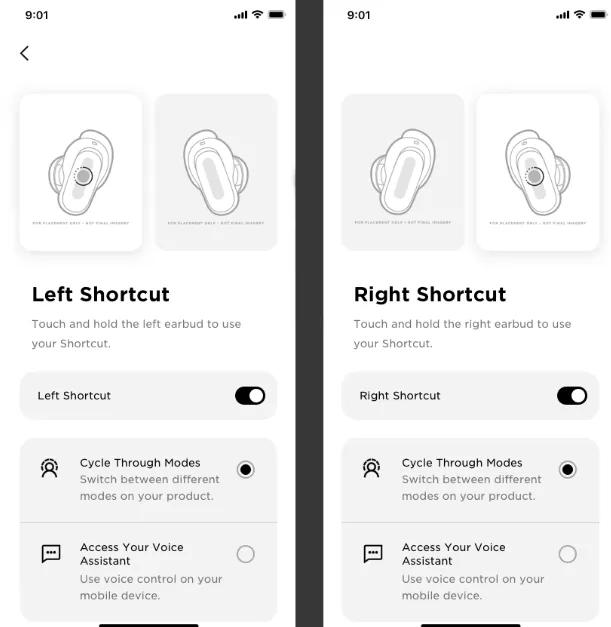
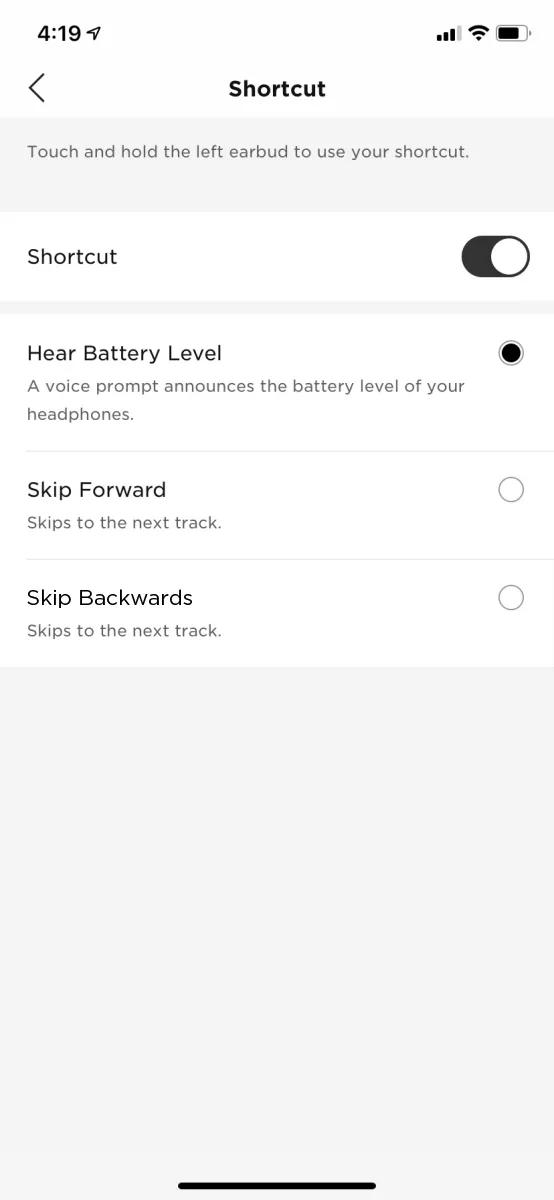
- Switch the Shortcut toggle to the right to enable the shortcut.
- Select a shortcut option.
Depending on the application being used, Skip Forward and Skip Backwards can vary in the way it functions. For Example: On the first press and hold, you may be able to go forward or backwards only a few seconds on the current track playing. On a second press and hold, it may allow you go to the next or the previous track. - Touch and hold the left earbud to use the shortcut.
Using the Shortcut feature
A shortcut enables you to quickly and easily access one of the following functions:
- Cycle through noise cancelling modes
- Use your mobile device voice control
Use your Shortcut
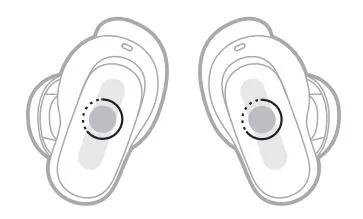
To use your shortcut, touch-and-hold an earbud.
Change or disable your Shortcut
To change or disable a shortcut or to assign a different shortcut to each earbud, use the Bose app. You can access this option from the Settings menu.
Note: If you assign a different shortcut to each earbud, you must touch-and-hold the appropriate earbud. If you remove an earbud, you can only use the shortcut assigned to the earbud in your ear.
