Understanding LED indicator status lights and information | Bose QuietComfort Headphones (2nd Gen)
bose-quietcomfort-headphones-(2nd-gen)
Bose QuietComfort Headphones (2nd Gen)Sold from 2026

Understanding LED indicator status lights and information | Bose QuietComfort Headphones (2nd Gen)

Status Lights


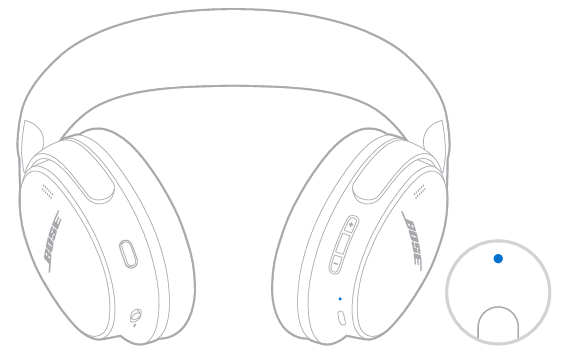
BLUETOOTH LIGHT

Shows the Bluetooth connection status.

Slowly blinks blue

Ready to connect

Solid blue

Connected

Blinks white twice

Device list cleared

BATTERY STATUS

Shows the battery, charging, update, and error status.

Solid white

Full charge / Powered on

Solid amber

Low charge

POWER AND CHARGING STATUS

Solid amber

Need to charge

Solid white

Charging

UPDATE AND ERROR STATUS

Shows the status when linking speakers.

Blinks white 3 times (repeated)

Updating software (wirelessly)

Fast blinking white (10 seconds)

Updating software (via USB)

Blinks white (3 seconds)

Reset

Blinking amber and white

Error - contact Bose customer service
