Was this helpful?


Bluetooth LE Audio (Low Energy Audio) is a next-generation Bluetooth audio technology that delivers high-quality sound more efficiently than traditional Bluetooth audio. It uses the LC3 (Low Complexity Communication Codec), which is designed to provide excellent audio quality while using less power. This helps extend battery life and enables new Bluetooth features that were not previously possible.
LE Audio is currently a beta feature.
It is currently supported on select Android devices that support Bluetooth 5.2 or later and run Android 13 or newer. Most compatible devices were released in 2022 or later, including newer Google Pixel, Samsung Galaxy, OnePlus, and Xiaomi models. Support varies by manufacturer, device model, and software version. Check with your device manufacturer for compatibility details.
With LE Audio enabled, your headphones can deliver the same great listening experience while using less power, helping maximize battery life.
LE Audio also introduces Auracast™, a new way to share and receive audio. Auracast allows a single device to broadcast audio to multiple compatible headphones at the same time, making it easy to share music with friends. It also enables access to public audio broadcasts in places such as airports, gyms, museums, and conference centers, allowing you to listen directly through your headphones without pairing to a specific device.
To learn more check it out here: www.bluetooth.com/auracast
To see how it works with a Samsung device, see here

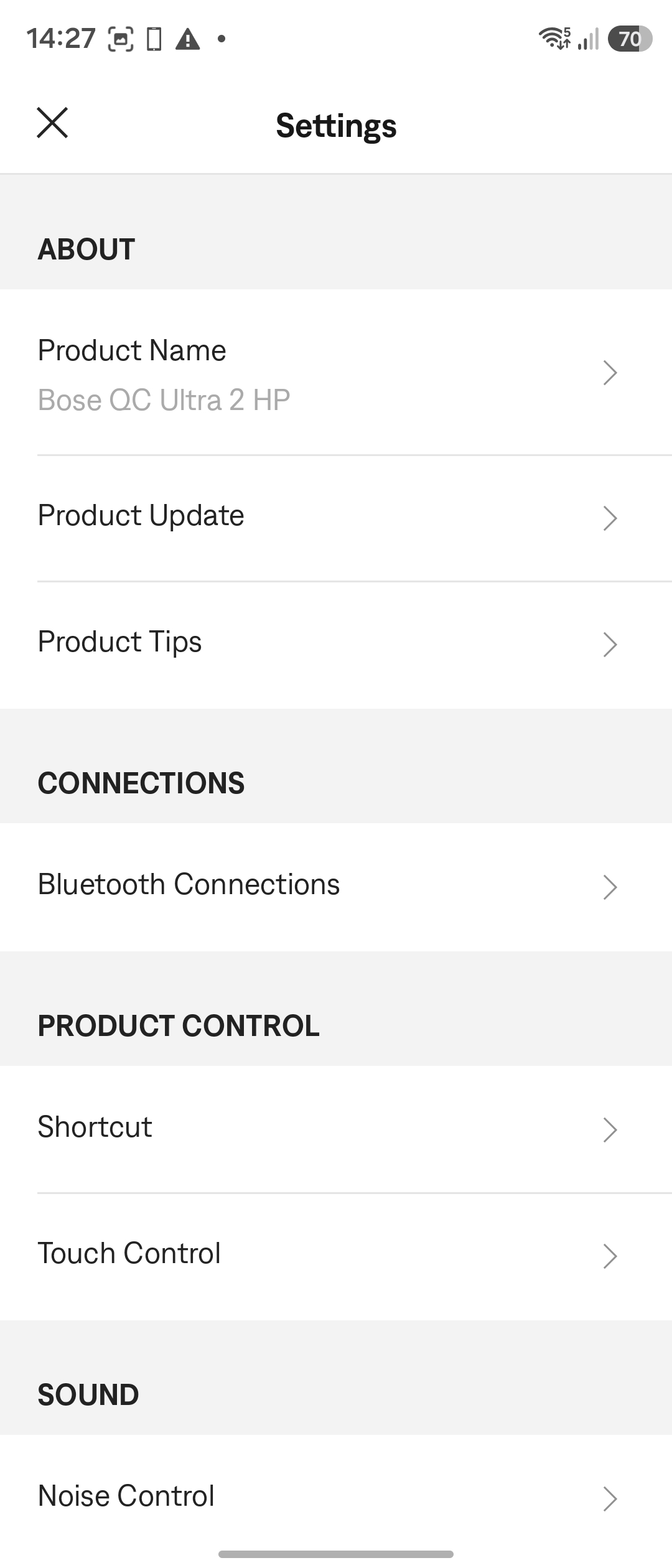
Tap Bluetooth Connections
Toggle Use LE Audio When Available On or Off
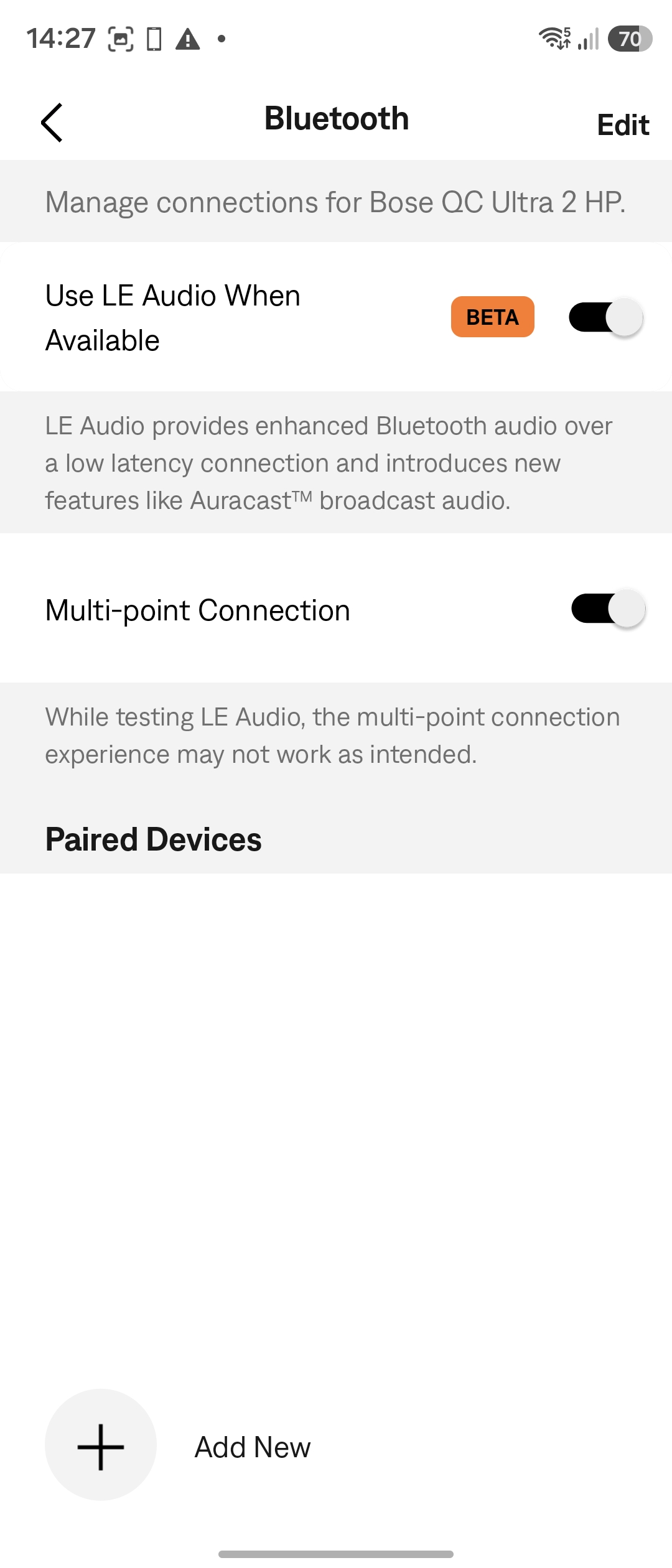
Your headphones will restart and reconnect using the selected audio mode.
NOTE:
When LE Audio is enabled, the Voice Assistant and Spotify Tap shortcut features are unavailable. This is because those shortcuts rely on the same Bluetooth Low Energy (BLE) connection that is used for LE Audio.Once LE Audio is enabled on your headphones, you can also take advantage of 5.1 Spatial Audio. This is a new feature that is only available with certain compatible Android devices. Because support is device-dependent, not all Android devices can use this feature.
How to enable Spatial Audio on your Android device varies. Examples include:
For an example of how to enable and use Spatial Audio on Google Pixel devices, see: https://support.google.com/pixelphone/answer/12967594?hl=en.
Once enabled, playback requires content with a true 5.1-channel audio track. Some streaming and movie apps provide compatible content. The headset automatically processes the 5.1-channel audio from the source to create a true spatial listening experience rather than an upmixed stereo.
This experience is similar to Bose Immersive Audio when head tracking is enabled, although the spatial effect is derived directly from the source's 5.1-channel audio.

