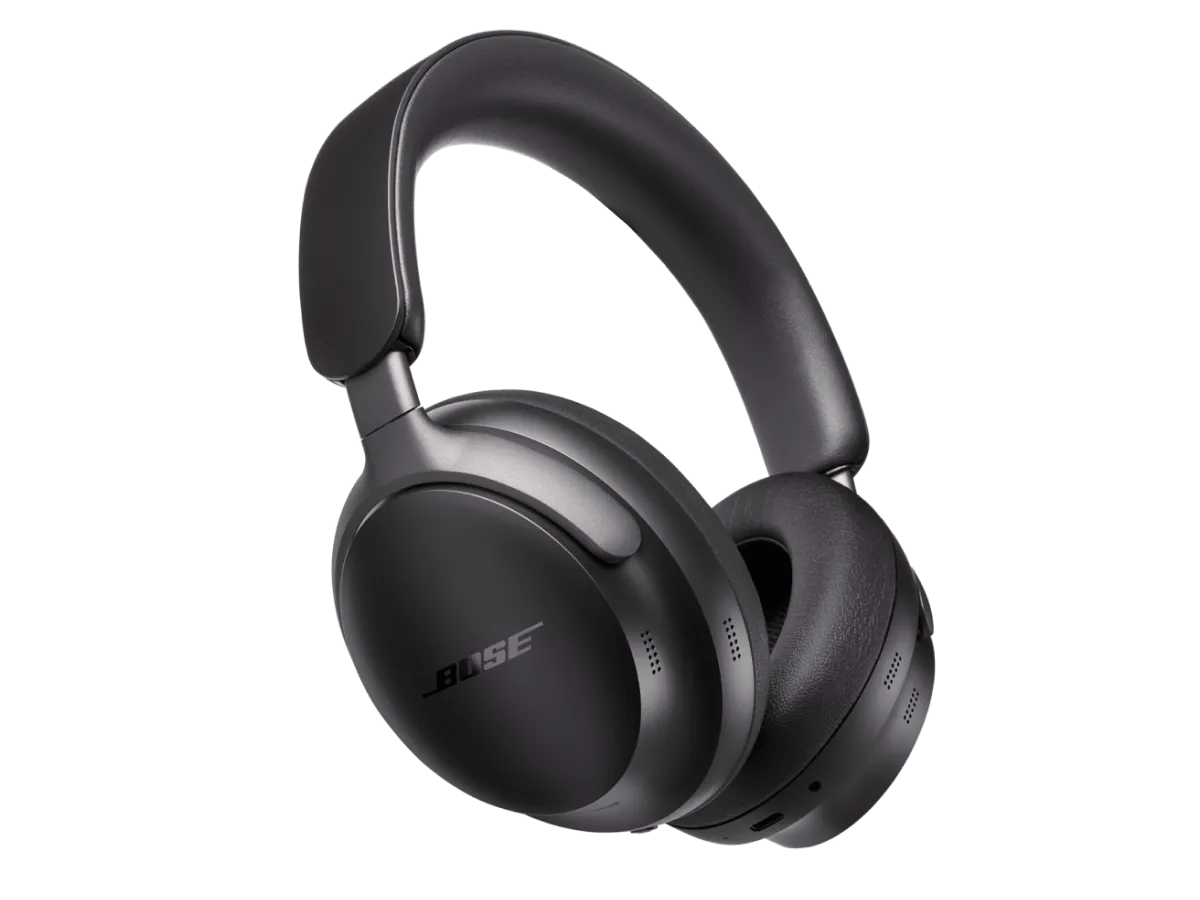
Bluetooth® operation is disabled while charging.
The headset begins charging when connected to a charger or powered USB jack. While charging, Bluetooth functionality is disabled. To play audio from and/or pair Bluetooth devices, disconnect the headset from the charger once it is sufficiently charged.
Alternatively, you can listen to audio while charging the headset by using the supplied backup audio cable.
Try connecting the device with the included audio cable
Note: When the audio cable is connected to the headphones:
- Bluetooth® functionality is disabled
- The headphones are not passive, therefore they must be powered on to work with the AUX cable
- If the battery is depleted, you can use the USB charging cable and the AUX cable at the same time
- Connect the smaller end of the audio cable to the jack at the bottom of the left earcup
- Plug in the other end of the cable to the 1/8" (3.5 mm) headphone jack on your device.
Reboot the connected device.
Electronics might need to be reset from time-to-time—much like rebooting a computer. Power off the device, then power it back on and try again.
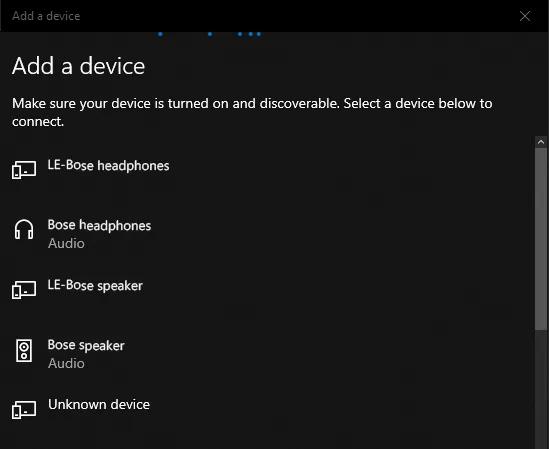
If adding a device to Windows, be sure to connect to the Bluetooth® device with the headset or speaker icon.
In Windows, your product shows up twice in the Bluetooth device list: once with a device icon and
LE before the product name and
once with a headphones or speaker icon. Select the option with the headphones or speaker icon. Do not select the
LE listing.
Tip: If you already paired to the device icon, just connect your product again and choose the listing with the headphones or speaker icon. For more info, see
Connecting a Bluetooth® device.
Reboot your headphones.
This reset will not erase your product settings.
- If the USB charging cable or audio cable is connected to your headphones, disconnect it.
- Connect a USB charging cable and charger to a power outlet. You can also connect the USB cable to a USB port on a computer that is powered on.
Note: Do not connect your headphones to the USB cable yet. - On your headphones, press and hold the Power/Bluetooth® button.
- While continuing to hold the button, connect the USB cable to the left earcup. The Power light on your headphones will quickly blink twice.
- Once connected, wait two seconds and then release the Power/Bluetooth button.
Tip: If your headphones don't respond after this, reset them a second time.
Try a different app.
If the issue only occurs with a particular app, it is likely related to the app or app settings.
Determine if the issue occurs with another Bluetooth® device.
The source device currently paired to your product may be causing the issue. Try pairing a different Bluetooth source to see if the issue is isolated to that device.
Clear your product's memory of previously paired Bluetooth® devices, then reconnect.
Remove your product from the memory of the Bluetooth® device, then try again.
In the Bluetooth settings of the Bluetooth device, find the list of previously connected products. Remove your product from the list, then reconnect it to the device. For more info, see
Connecting a Bluetooth® device.
If connected, bypass any adapters or extension cables.
If your product connects to the device using an extension cable or adapter, disconnect the extension cable or adapter to determine if the issue is related to it.
If using a wired connection, please ensure the headphones are turned on
The headphones feature proprietary Bose active EQ (which provides incredible, life-like sound, in conjunction with a personalized listening experience powered by CustomTune technology).
In order for this to function, the Headphones must be powered on, even when wired.
Check the condition of the headphone cable.
If the plug or any part of the cable is damaged, replace the headphone cable.
If you are trying to play audio over USB
These headphones do not support USB audio.
Try playing music over the 3.5mm auxillary cable or Bluetooth instead.