










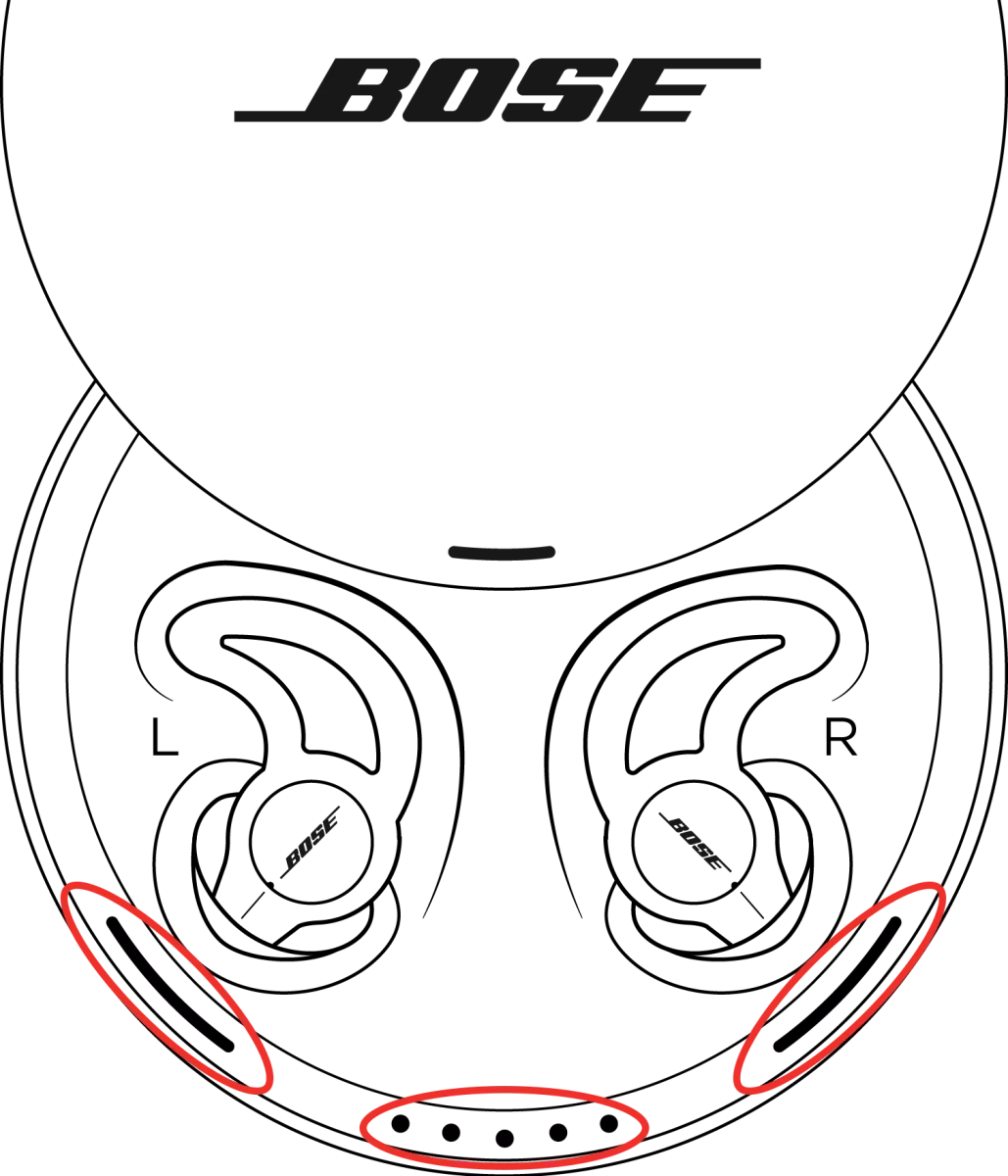
The longer outer lights on the inside rim of the case show the battery level of the Sleepbuds when they are in the case.
Status: Flashing white
Information: Charging
Status: Solid white
Information: Fully charged
The 5 round lights in the lower-center of the inside rim of the case show the power level of the charging case's battery.
Status: 1st power LED blinking
Information: 0-20% battery charge
Status: 2nd power LED blinking
Information: 20-40% battery charge
Status: 3rd power LED blinking
Information: 40%-60% battery charge
Status: 4th power LED blinking
Information: 60-80% battery charge
Status: 5th power LED blinking
Information: 80-100% battery charge
Status: All 5 power LEDs solid
Information: 100% battery charge
Status: 1st, 3rd and 5th LEDs solid
Information: Charging error. For more info, see Three lights glow solid on the charging case

