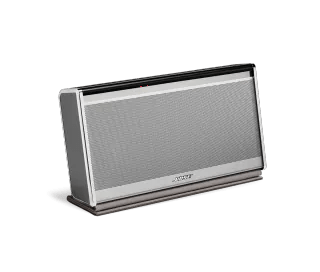
Be sure the cover is open.
The SoundLink Mobile will not turn on if the cover is closed
Check if your speakers powers on while connected to a power outlet.
Reset your product.
Much like rebooting a smartphone, your product might need to be reset on occasion to correct minor issues. For more info, see
Resetting your product.
Use only the Bose power supply intended for your product.
It is recommended to use only the Bose power supply included with your product. Using a third party power supply is not recommended. If it is necessary to connect a third party power supply, however, be sure the specs on the power supply match the power requirement found in your product specs.
Check if the connected power outlet is working.
When connected to power, your product plays a tone. If you plug in but don't hear a tone, try plugging in another device (i.e. a lamp) to the same power outlet to confirm the outlet works.
Check if a tone is heard from you product when power is connected.
Disconnect the power connection from your product for a few seconds, then reconnect it. Within a few seconds of connecting power, a tone should play from your product. If a tone is heard but your product won't power on, the issue might be with the connections or controls; if a tone is not heard, the product might not be receiving power or producing sound.