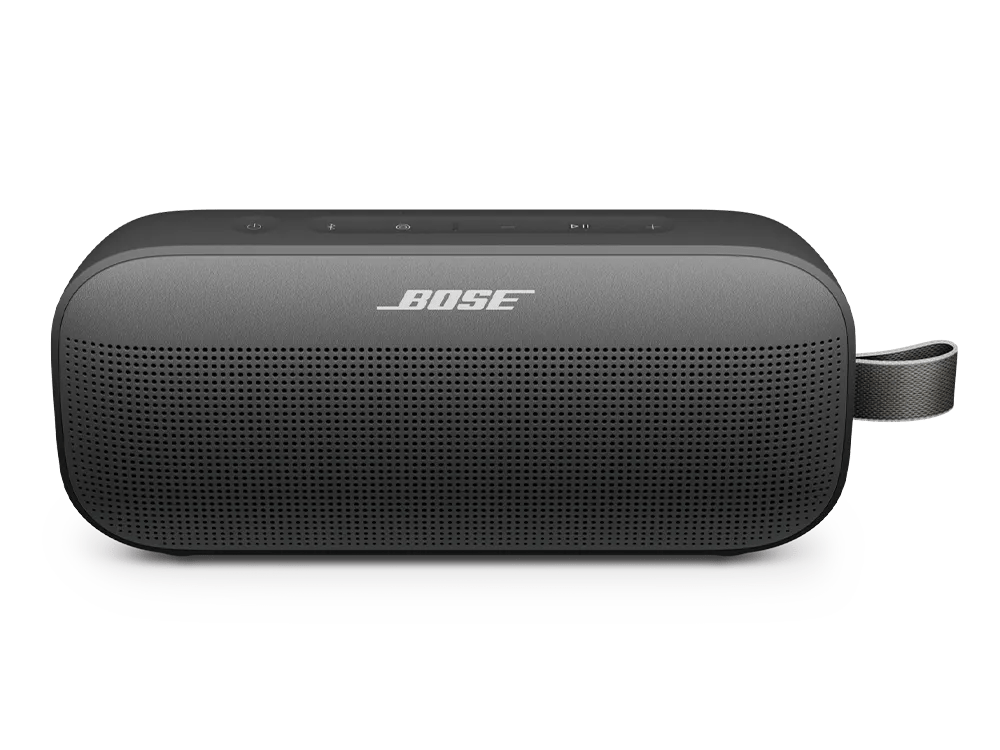
Avoid holding the Power button while powering on or off your product.
To turn your product on or off, quickly press and release the Power button  . Holding the Power button, even briefly, checks the battery charge level, which will not turn your product on or off.
If your product has been in extreme hot or cold temperature, wait until it reaches room temperature.
If the battery temperature is beyond the operating temperature range, wait until the product reaches room temperature, then try again.
Use the Bose app to check the Auto-Off setting
Checking the battery level:
When powered on, the Power light glows according to the current battery level
- Solid white - Full charge
- Solid amber - Low charge
- Blinks amber - Need to charge
- Blinking white - Charging
Connect the speaker to power for 15 minutes.
The battery within the speaker may have been completely depleted. Connect the speaker to power for 15 minutes so the speaker can receive a sufficient charge for powering on. After 15 minutes, try turning the speaker on and playing sound while connected to AC power. If there is still no sound and the product does not appear to be receiving power, see
Product will not turn on.
Check if a tone is heard from you product when power is connected.
Disconnect the power connection from your product for a few seconds, then reconnect it. Within a few seconds of connecting power, a tone should play from your product. If a tone is heard but your product won't power on, the issue might be with the connections or controls; if a tone is not heard, the product might not be receiving power or producing sound.
Do not charge product while wet
If your product has been exposed to liquid, aloow it time to thouroughly dry before attempting to charge it.
Check that the USB charger meets the power requirement of your product.
On the USB charger, there will be text that indicates the amp (A) or milliamp (mA) rating of the charger. This rating varies among chargers – including those supplied with different models of Bose products. The closer the amp rating of the charger is to the maximum amp rating of the product, the more quickly the product will recharge. If the amp rating of the charger is too low, the product may recharge slowly or not at all. Refer to the specifications indicated on the product or within it's owner's guide on for details.
Some products require minimum of 1 amp of current in order to recharge. Many USB ports on a computers can only provide a maximum of 0.5 amps of current. Be sure to use a safety-agency-approved power supply that meets local regulatory requirements (e.g. UL, CSA, VDE, CCC).
The following chargers are not compatible with your product:
- The Bose Portable Smart speaker charger does not work with this product
- USB docking stations may not provide enough amperage to charge this product
Reseat the USB charging cable on both ends
Disconnect and reconnect the USB cable at both ends, ensuring it is firmly connected. Allow at least an hour for the speaker to charge after the connections have been reestablished.
Try a different USB cable.
Try a different USB cable.
Check if the connected power outlet is working.
When connected to power, your product plays a tone. If you plug in but don't hear a tone, try plugging in another device (i.e. a lamp) to the same power outlet to confirm the outlet works.
Try a different charger.
Charge times can vary based on the charger. Chargers with a higher current rating generally charge products faster than those with a lower rating. Chargers typically list a current rating on the label in amps (A) or milliamps (mA). A current rating of 1 A / 1000 mA or higher is recommended.
Check for and install any available product updates.
Check if your speakers powers on while connected to a power outlet.
Music playback at full volume will significantly reduce the battery life.
Battery life depends on what type of music you’re playing and at what volume. Use of the speaker at extreme volumes will reduce its playback time. Playback time may be as little as a few hours if the speaker is used continuously at a high volume level while streaming audio over Bluetooth. High intensity, heavy rock music, or music with a lot of bass will consume more power at a high volume level.
To increase the playback time, reduce the volume level.
Be sure the unit is off while not in use.
Leaving the unit on when not in use will drain the battery. However, if the system does not detect a signal (Bluetooth® or AUX) for 30 minutes, it will shut off. To minimize the battery from draining, we recommend turning the system off manually.
Battery protection mode
When your speaker battery is depleted (0%), or your speaker is unplugged and unused for more than three days (with a remaining charge of less than 10%), it enters battery protection mode.
To reactivate your speaker, connect it to a wall charger or computer that is powered on. When not in use, store your speaker in a cool place.
CAUTION: Do not store your speaker for extended periods when fully charged or with a remaining charge of less than 10 percent.