Was this helpful?
How to access TuneIn on a SoundTouch speaker | SoundTouch Wireless Link adapter
How to listen to TuneIn
You can continue listening to TuneIn by streaming from the TuneIn app on your smartphone to your SoundTouch system.

Step 1: Install and Open the TuneIn App
- Open the TuneIn app on your smartphone.


You may see a prompt to subscribe. You can close this by tapping the X in the top-right corner.

Step 2: Find a Radio Station
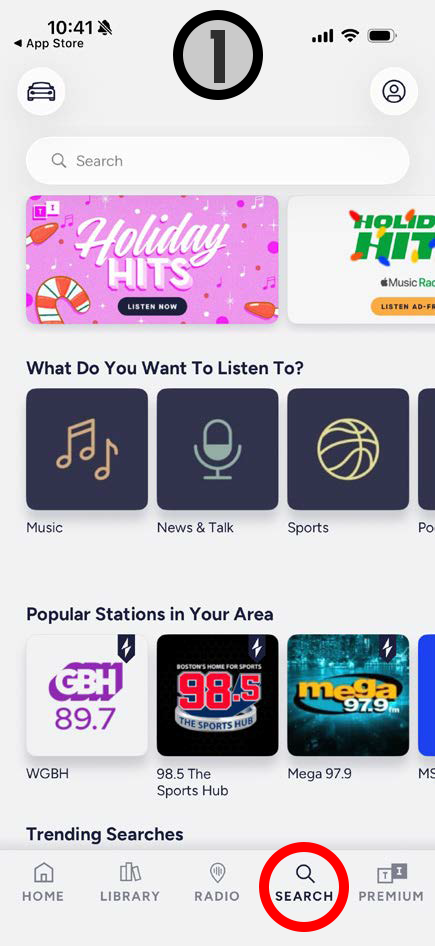
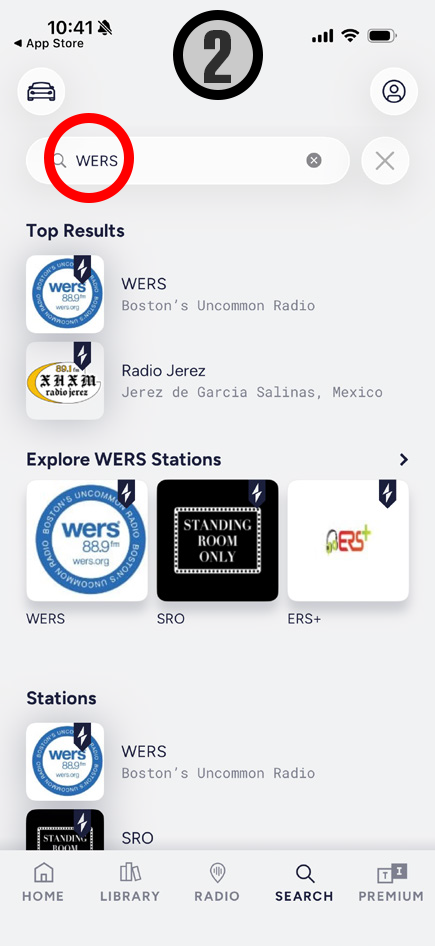
- Tap Search.
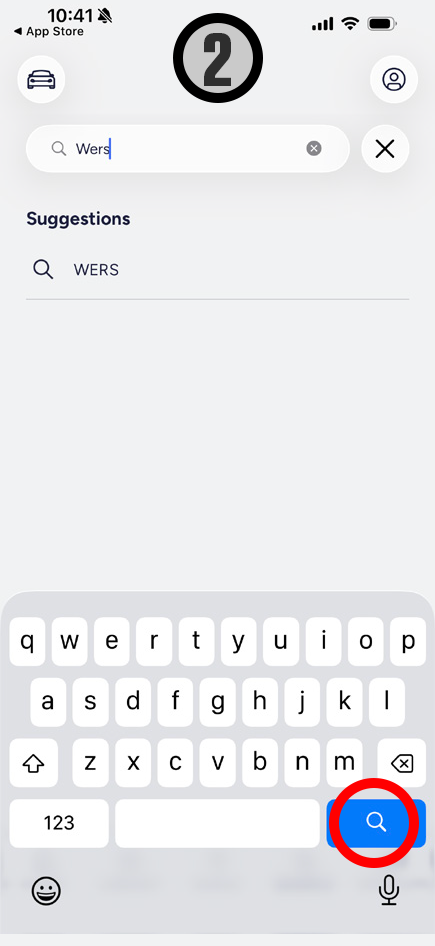
- Enter the station name, call letters, city, or keywords.
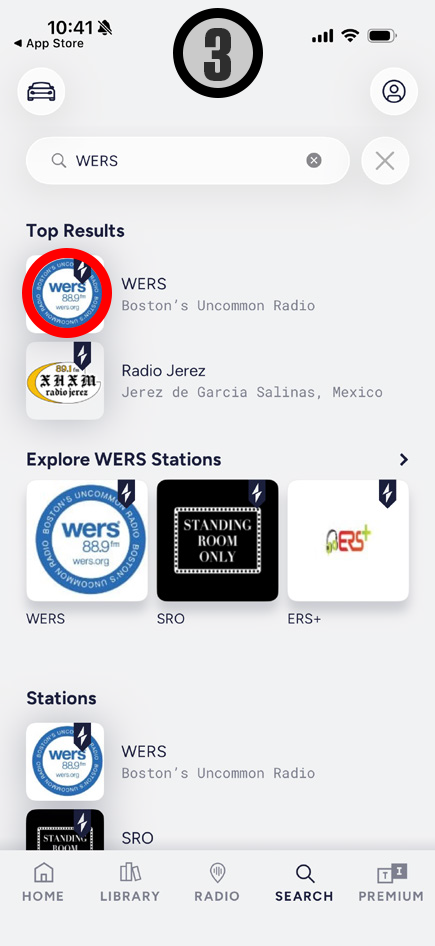
- Select your station from the results. Playback will begin on your phone.


--- Step 3: Play TuneIn on Your SoundTouch Speaker
Option A: iOS & AirPlay‑Compatible SoundTouch Systems
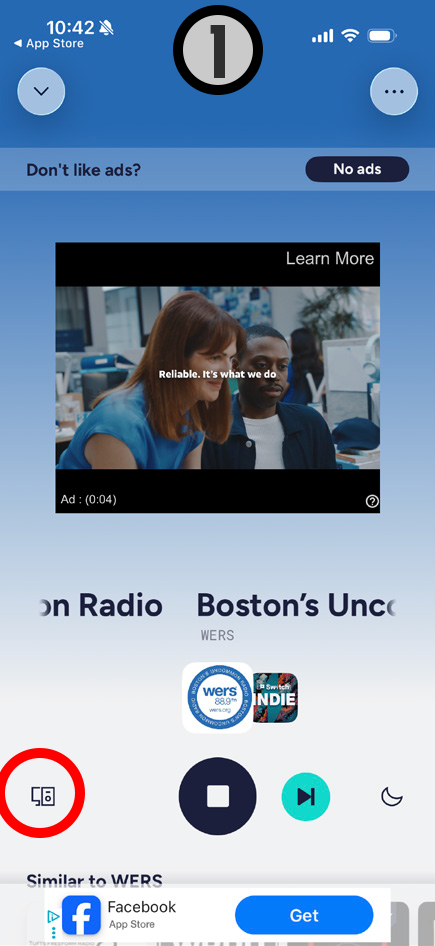
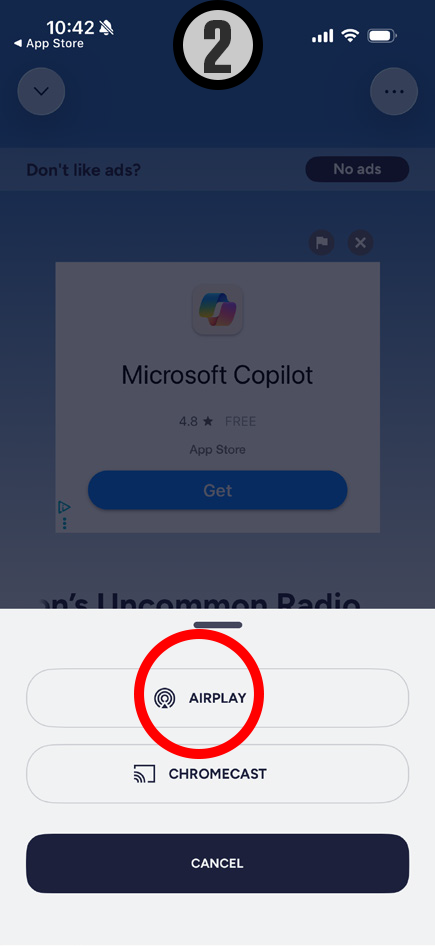
- On the Now Playing screen, tap the speaker icon.
- Tap AirPlay.
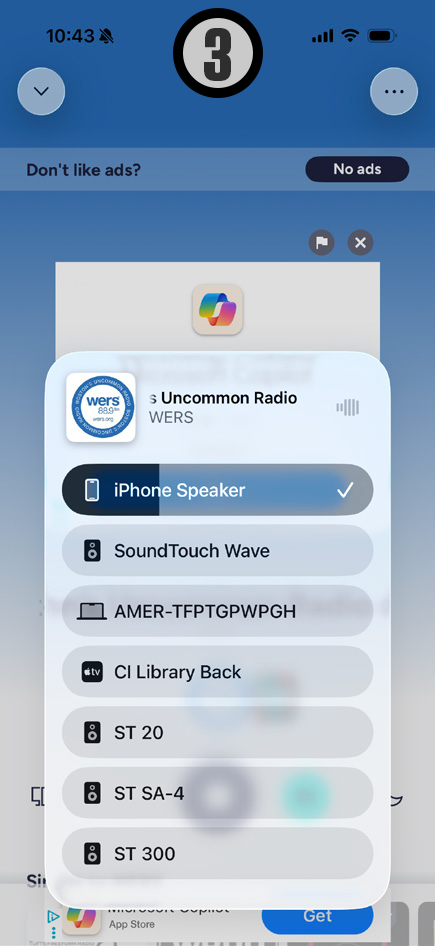
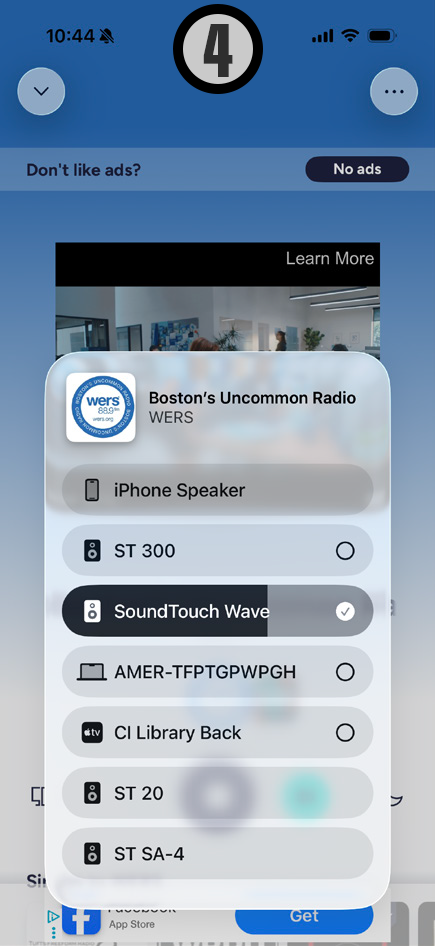
- Select your SoundTouch system.
- Some SoundTouch systems support AirPlay 2, allowing you to select or group multiple speakers.


Option B: Android Phones or Bluetooth Streaming
- Open your phone’s Bluetooth settings.
- Select your SoundTouch system from the list of available devices.
You can pair by pressing and holding the Bluetooth button on your SoundTouch system or remote, or by using the SoundTouch app.
Frequently Asked Questions
How do I save a Favorite?
How to save a favorite
Note: With the sunsetting of SoundTouch presets functionality, Bose’s recommended workaround is to use Music Service favorites.
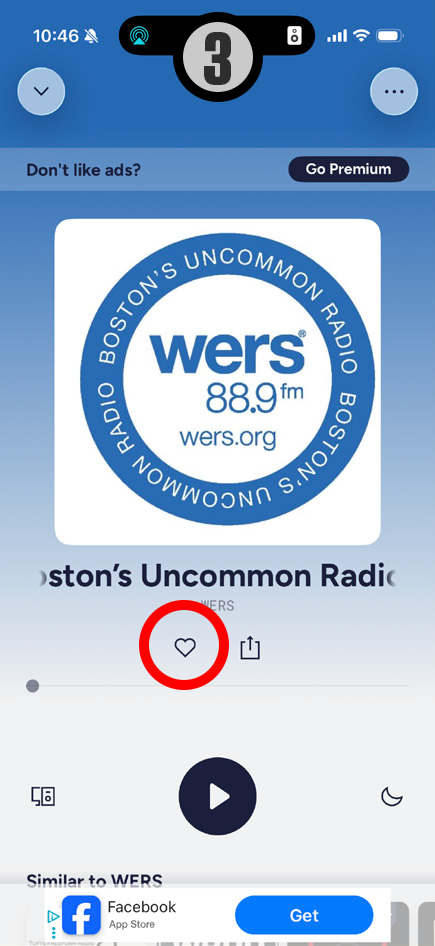
- Open the TuneIn app on your smartphone.
- Search or Browse for content
- Tap the “heart icon” on the now playing screen to save current station to your list of “TuneIn Favorites” (TuneIn’s equivalence of a Preset)
Note If the “heart icon” isn’t visible in the user interface, try pausing the music.


How do I listen to a favorite?
How to listen to a favorite
Note: With the sunsetting of SoundTouch presets functionality, Bose’s recommended workaround is to use Music Service favorites.
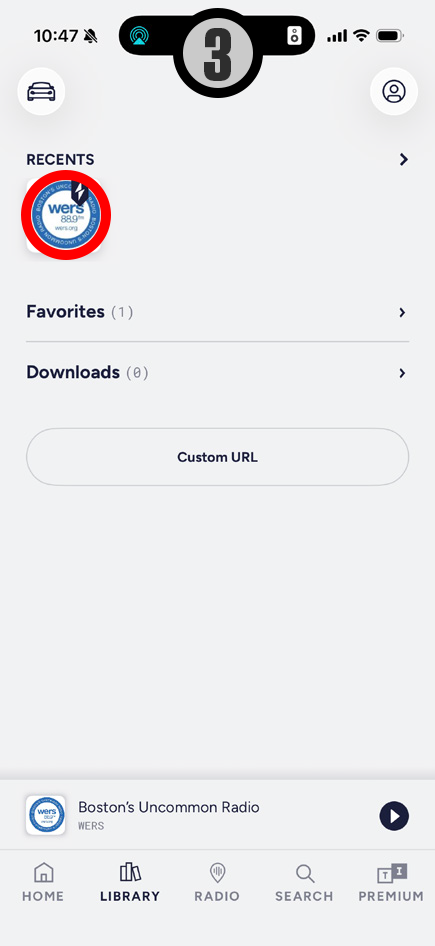
- Open the TuneIn app on your smartphone.
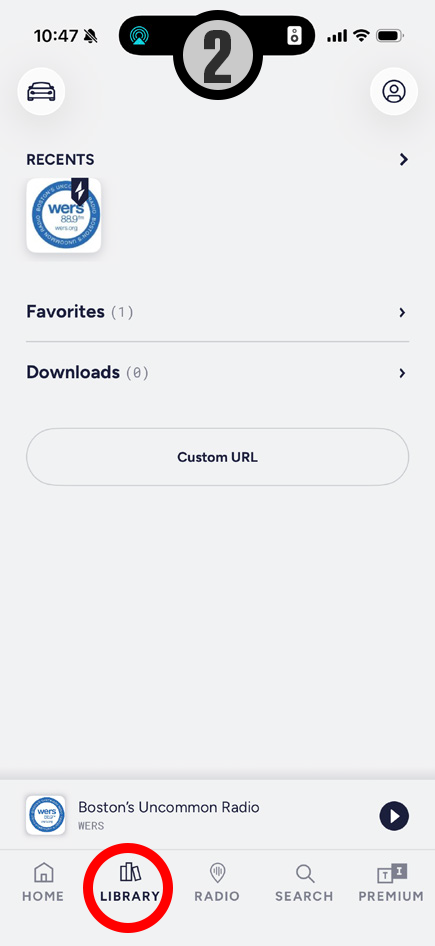
- Tap Library in the navigation.
- Select preferred radio station from Favorites list.


How do I listen to other Music Services?
Listening to other Music Services
All other Music Services follow near-identical steps to that of TuneIn. You will open the Music Service’s app, select the content you wish to listen to, and then either AirPlay or Bluetooth stream the content to your SoundTouch systems.