Product will not turn on | Bose Sport Open Earbuds
Resync the earbud connection.
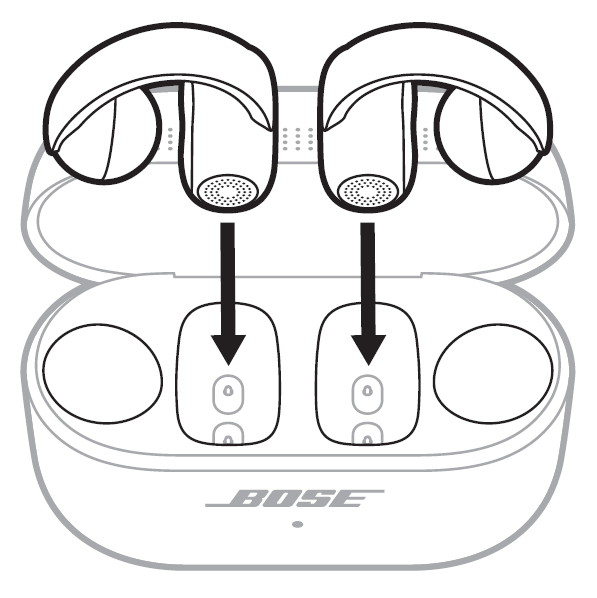
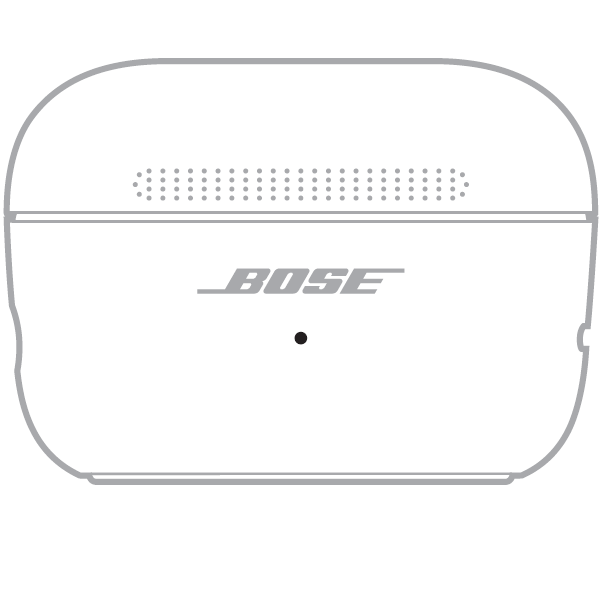
- If only one of the two earbuds is not working, place it into the charging case first. Keep the lid open. The status light on the front of the case should illuminate. If it does not, the earbud may be out of charge and may not be contacting the charging pins in the case. Be sure the two charging pins inside the case are protruding upward. Once the earbud status light inside the case illuminates, place the other earbud in the case.


- Close the lid on the case.
- When the status light on the front of the case stops glowing, open the lid, remove just the right earbud, and place it into your right ear.
The welcome tone will play with a few seconds after being removed from the case. The connection chime will play if a recently connected device is in range. - Place the left earbud in your ear. Once the welcome tone plays in the left earbud, you can continue using your earbuds.
If your product has been in extreme hot or cold temperature, wait until it reaches room temperature.
Check that the USB charger meets the power requirement of your product.
On the USB charger, there will be text that indicates the amp (A) or milliamp (mA) rating of the charger. This rating varies among chargers – including those supplied with different models of Bose products. The closer the amp rating of the charger is to the maximum amp rating of the product, the more quickly the product will recharge. If the amp rating of the charger is too low, the product may recharge slowly or not at all. Refer to the specifications indicated on the product or within it's owner's guide on for details.
Some products require minimum of 1 amp of current in order to recharge. Many USB ports on a computers can only provide a maximum of 0.5 amps of current. Be sure to use a safety-agency-approved power supply that meets local regulatory requirements (e.g. UL, CSA, VDE, CCC).
