Understanding LED indicator status lights and information | Bose Sport Open Earbuds
bose-sport-open-earbuds
Bose Sport Open EarbudsSold from 2026

Understanding LED indicator status lights and information | Bose Sport Open Earbuds

Earbuds and charging case status lights

Earbuds Status Light

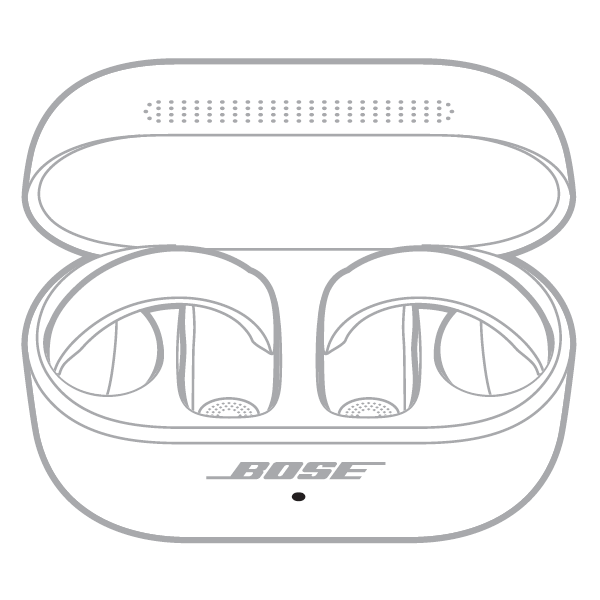
When the charging case lid is open, the status light on the front of the case indicates the status of the earbuds.
light on the front of on open case

Bluetooth status - Shows the Bluetooth connection status to mobile devices
  • Slowly pulses blue - Ready to connect
  • Quickly blinks blue - Connecting
  • Solid blue (5 seconds) - Connected
  • Blinks white twice - Device list cleared
Battery status - Shows the earbud battery charge level, update, and error status
  • Solid white - Fully charged
  • Solid amber - Charging
  • Blinks white - Determining battery status
  • Blinks white twice, slowly blinks blue, and turns off - Reboot complete
  • Blinks white 3 times (repeated) - Updating firmware
  • Blinks amber and white - Error, contact Bose customer service
  • Quickly blinks amber - Error: Earbuds aren't properly placed in the charging case. 
    • Remove the earbuds and make sure the charging contacts on the earbuds are aligned with the charging pins in the case

Charging Case Status Light

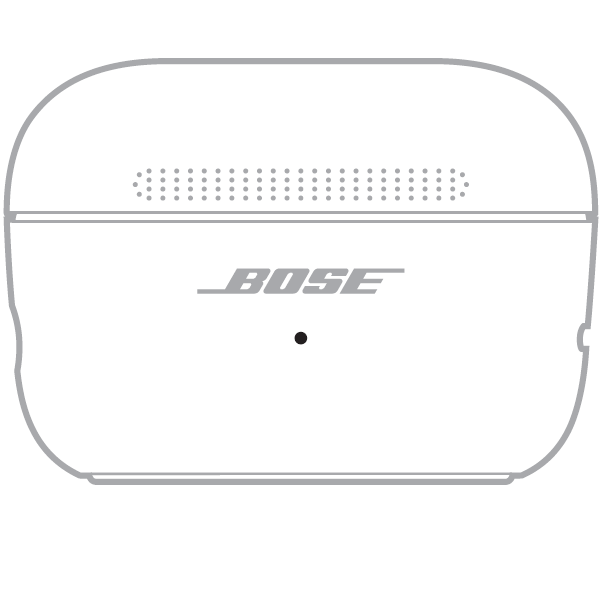
When the charging case lid is closed, the status light on the front of the case indicates the battery charge level of the case.
light on the front of a closed case

Battery status - Shows the charging case battery charge level, update, and error status
  • Solid white -Fully charged (100% and plugged in)
  • Solid white (5 seconds) - Charged (34% – 99%)
  • Solid amber (5 seconds) - Low charge (10% – 33%)
  • Blinks amber twice - Need to charge (less than 10%)
  • Slowly blinks amber - Charging and plugged in
  • Blinks white 3 times (repeated) - Updating firmware
  • Blinks amber and white - Error, contact Bose customer service