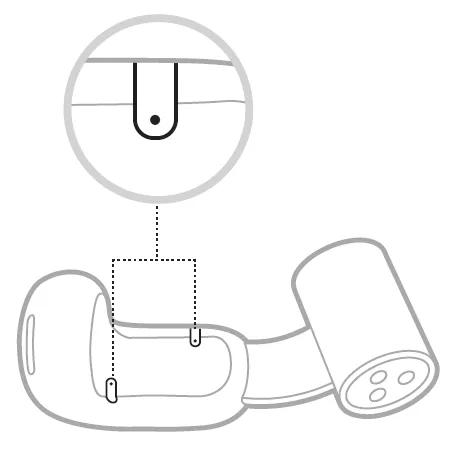


Blocked microphones will cause poor sound quality for a listener on the other end of the call. The microphones are located here on each earbud:
Be sure the microphones are not obstructed by headwear and that the earbuds are positioned properly on each ear. See Wearing and adjusting your earbuds for more information.
Distance and obstacles like walls, doors, or other electronics can weaken the Bluetooth signal. If you're having trouble, try moving your personal device and product closer together or relocating other devices that may cause interference.
Much like rebooting a smartphone, your product might need to be reset on occasion to correct minor issues. For more information, see Resetting your product.

