Force close and restart the app to try activating again
In the Bose app settings, go to technical info. If you see this message, you should close the app and restart it to try activating again.
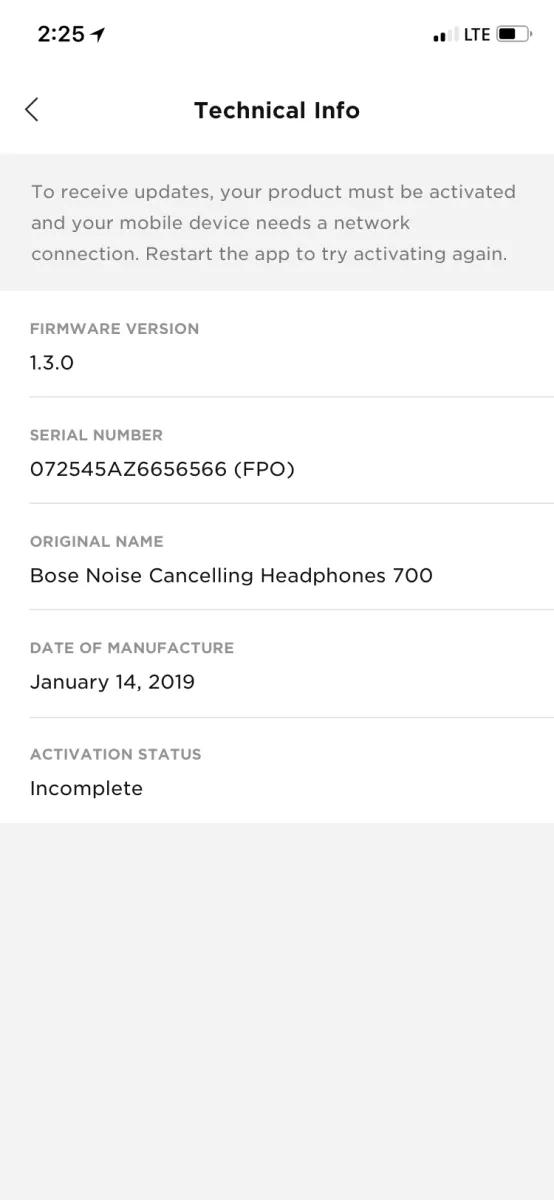
Image may differ in appearance from the actual product.
Uninstall and reinstall the Bose app.
In case an issue occurred with the app, uninstall it from your device, download and reinstall it, then try again.
On the Bluetooth device, remove your Bose product and then try again.
On the device you're trying to connect, go to the Bluetooth settings. In the list of remembered Bluetooth connections, find your Bose product and remove it (i.e. you might have to choose to forget or unpair it). Then, try connecting again. For help connecting, see Connecting a Bluetooth device.
Disconnect and reconnect the USB cable.
If the software update fails at any time during the update process, disconnect and reconnect the USB cable from the product making sure the cable is fully seated on both ends. Upon reconnecting, the update may continue.
Reset your product.
Much like rebooting a smartphone, your product might need to be reset on occasion to correct minor issues. For more information, see Resetting your product.
Uninstall and reinstall the Bose Updater tool.
In case an issue occurred with the updater, uninstall it from your computer, download and reinstall it from
btu.bose.com, then try again.
Reboot the computer.
Reboot your computer by powering it off completely and then powering it back on again. This can help to resolve minor processing issues with the computer.
Temporarily disable antivirus or firewall software on the computer.
In case the updater is blocked by security software on the computer, disable security software and try again. Be sure to re-enable the software when finished.
Connect the product to another USB port.
Disconnect the product from the USB port in use and reconnect it to another port. Try using a port located elsewhere on the computer and/or bypassing any USB hubs, as the issue may be with the group of USB jacks or another device connected among that group.
Try installing the update again.